X6100 Link is the firmware I'm writing for the Xiegu X6100, together with an Android app that connects to the radio over WiFi. The firmware works fine on its own; the app lets you use the radio from your phone.
It's still in beta and I work on it almost every day, so some things may not work yet. If you find a problem, please report it on GitHub: it helps a lot.
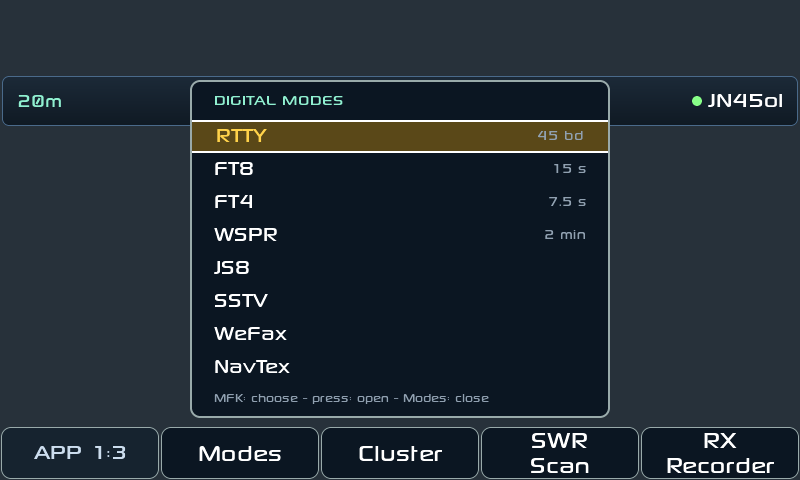
Digital modes, inside the radio
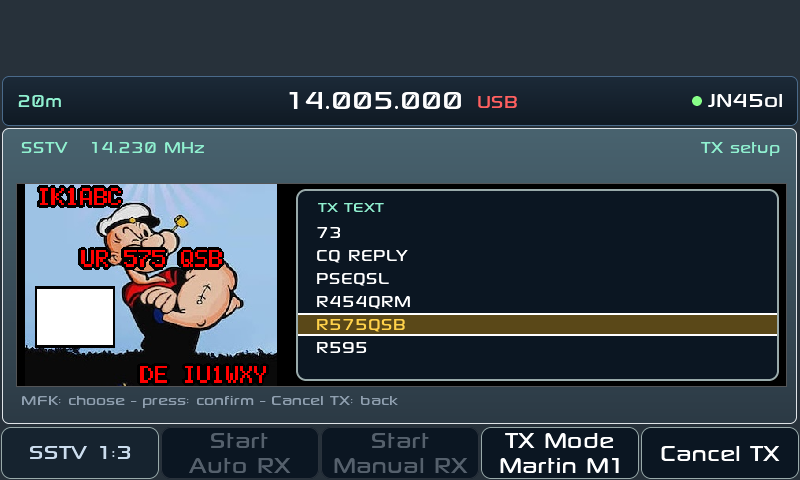
FT8, FT4, JS8 (with APRS), WSPR, SSTV receive and transmit, WeFax, NavTex, RTTY and CW. Everything runs on the radio: no PC and no audio cables. The CW decoder copies down to about 0 dB SNR.
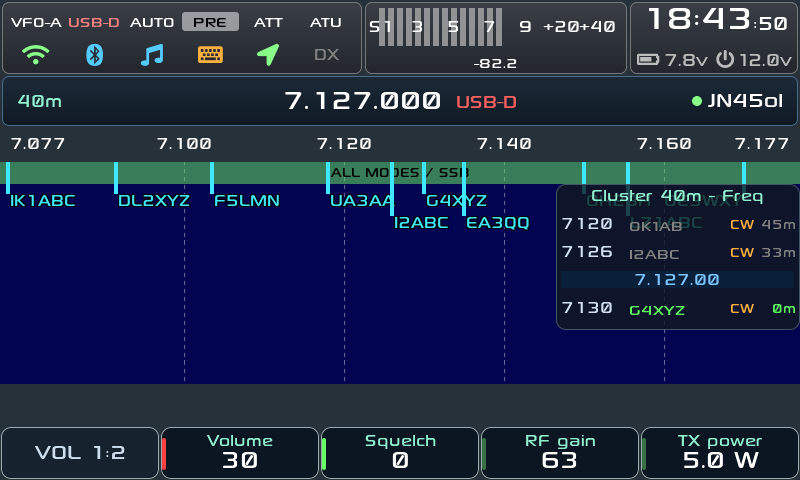
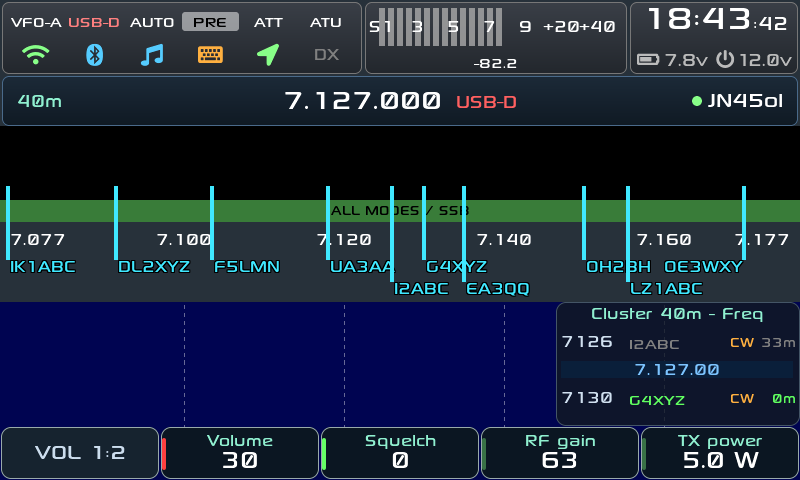
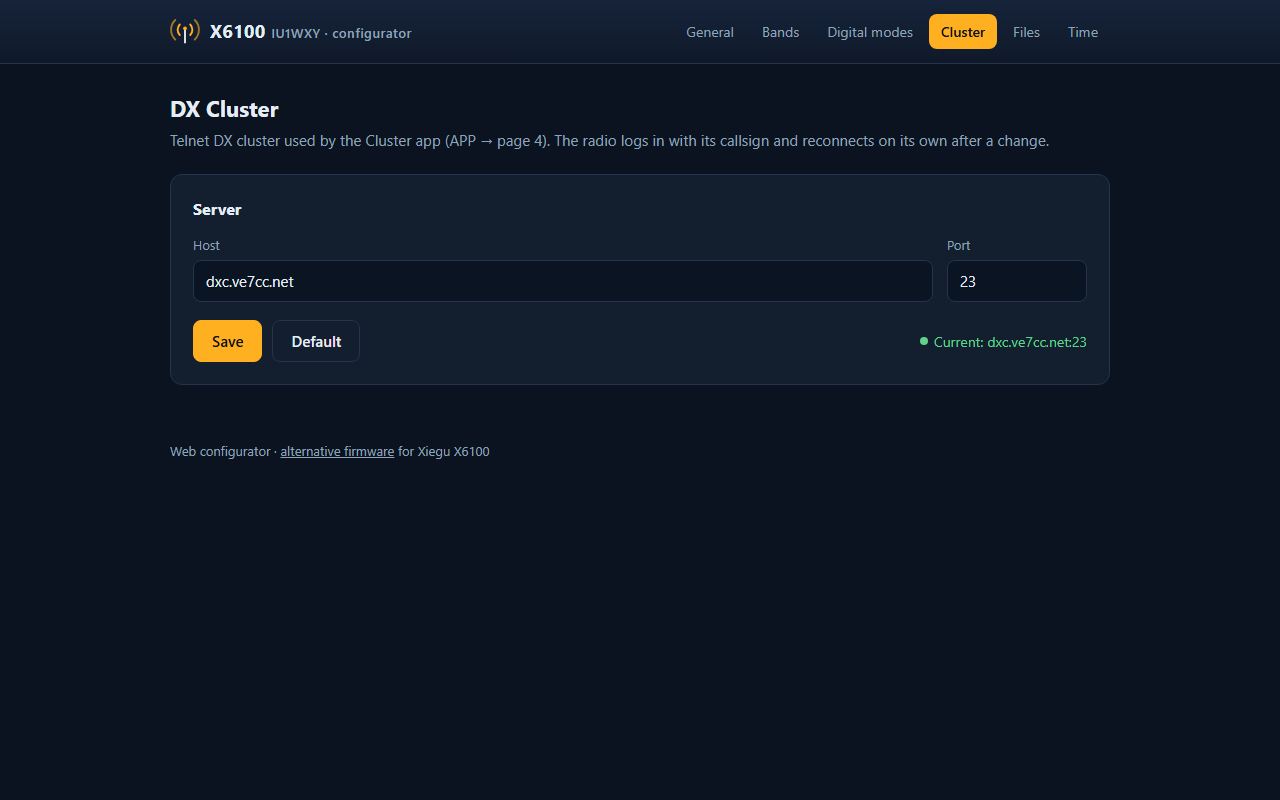
DX cluster on the waterfall
Spotted calls appear over the waterfall, right on their frequency, with a column beside it listing the spots around the VFO. You can filter by mode, band or POTA/SOTA, set alerts and jump to a spot with the knob.
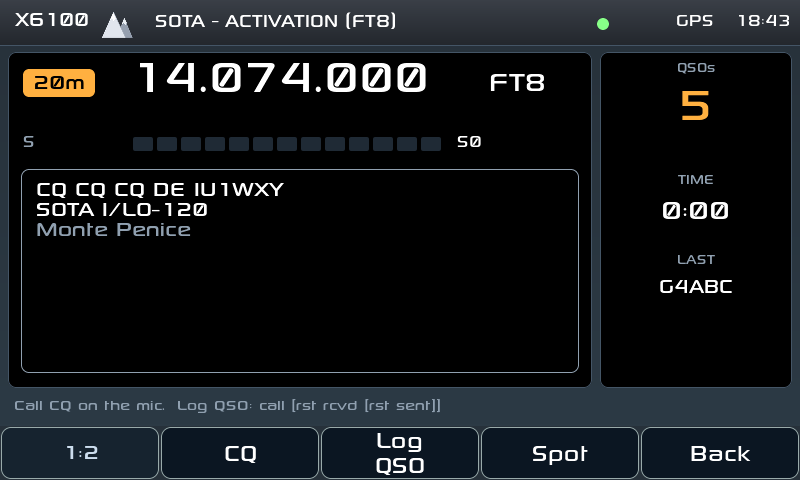
Field Ops, for SOTA and POTA
A second screen made for portable operation: big tiles, big text, usable with gloves. It works out which summit or park you're on by itself, even without mobile coverage, because the list of all references is downloaded once over WiFi and stays on the card.
From there you call CQ (in CW, or in SSB with your recorded CQ), log QSOs to ADIF with your reference already filled in and, for POTA, self-spot on pota.app. If you switch off or change the battery mid-activation, it picks up where you left off.
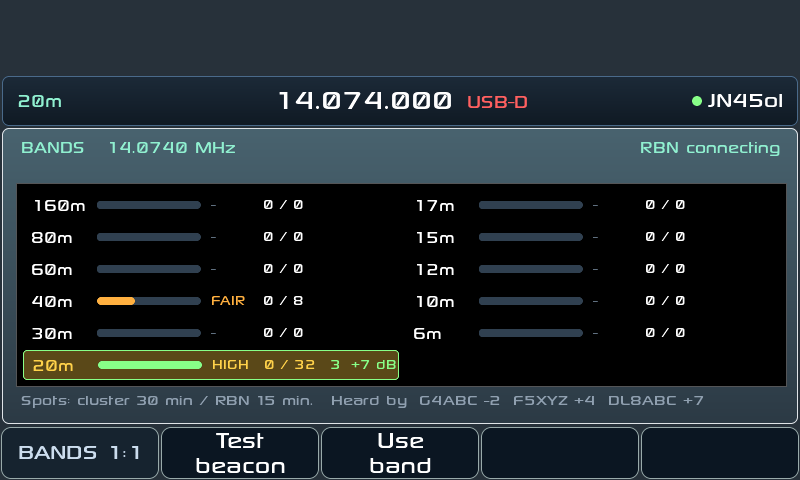
Bands: who hears me?
A page showing band by band, from 160 to 6 m, how much activity there is right now according to the DX cluster and the Reverse Beacon Network. There's also a test beacon: it sends TEST DE <call> in CW and after a minute shows which skimmers heard you and how strong. Handy to check your antenna is getting out before calling CQ.
The Android app
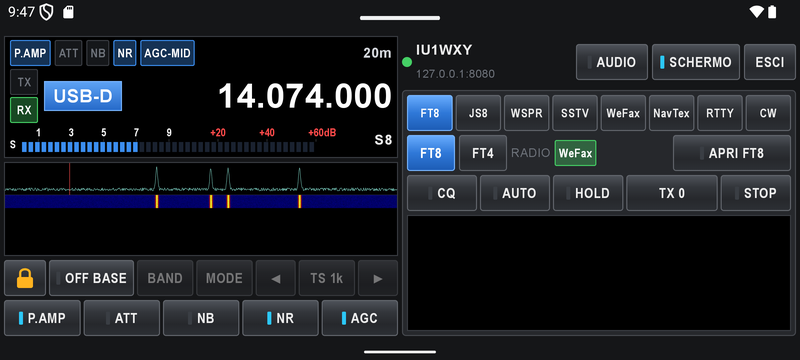
The app puts the radio in your hand: spectrum and waterfall (tap to tune), frequency, mode, filters, power and the receive audio on your phone. You can also run every digital mode from the phone, transmit included: for example, send a photo you've just taken over SSTV.
There's a logger with QRZ.com lookup as you type the call, and when the radio enters Field Ops the app switches to its SOTA/POTA page by itself. If the radio has no GPS, the phone provides its position.
No account and no cloud: the app only talks to your radio. It's coming soon to Google Play and works only with this firmware, not with the stock Xiegu one.
And more
The radio runs a small web server with a remote listening page (receive only), a gallery and backups. wfview sees it as an IC-705 on the network, and Bluetooth CAT, headphones and keyboards work. There are several themes too, including a light one for reading in full sun, and you can make your own.
How to install
- Download the image and unzip it
- Write the .img file to a microSD card with balenaEtcher, Raspberry Pi Imager or Rufus
- Put the card in the radio and switch it on
- Set your callsign and locator in Settings → General → STATION, and WiFi in Settings → Wireless
Note: writing a new image erases the settings, logs and pictures saved on the card. Copy /mnt to your PC first, or use the Backup page of the web server. A patched baseband (x6100_base_patch) r13 or newer is recommended.
Thanks
This work stands on that of Oleg Belousov R1CBU, Georgy Dyuldin R2RFE, 1KO125 by Hany El Imam / TheMurusTeam and the whole X6100 community. Thanks to Fabio IN3FOB for beta testing, and to Leo CT7AUE, Angelo IU2VWK, Gianluca IW5DUA and Emilio IU8QTM for their patience, time and advice.